Native and fast
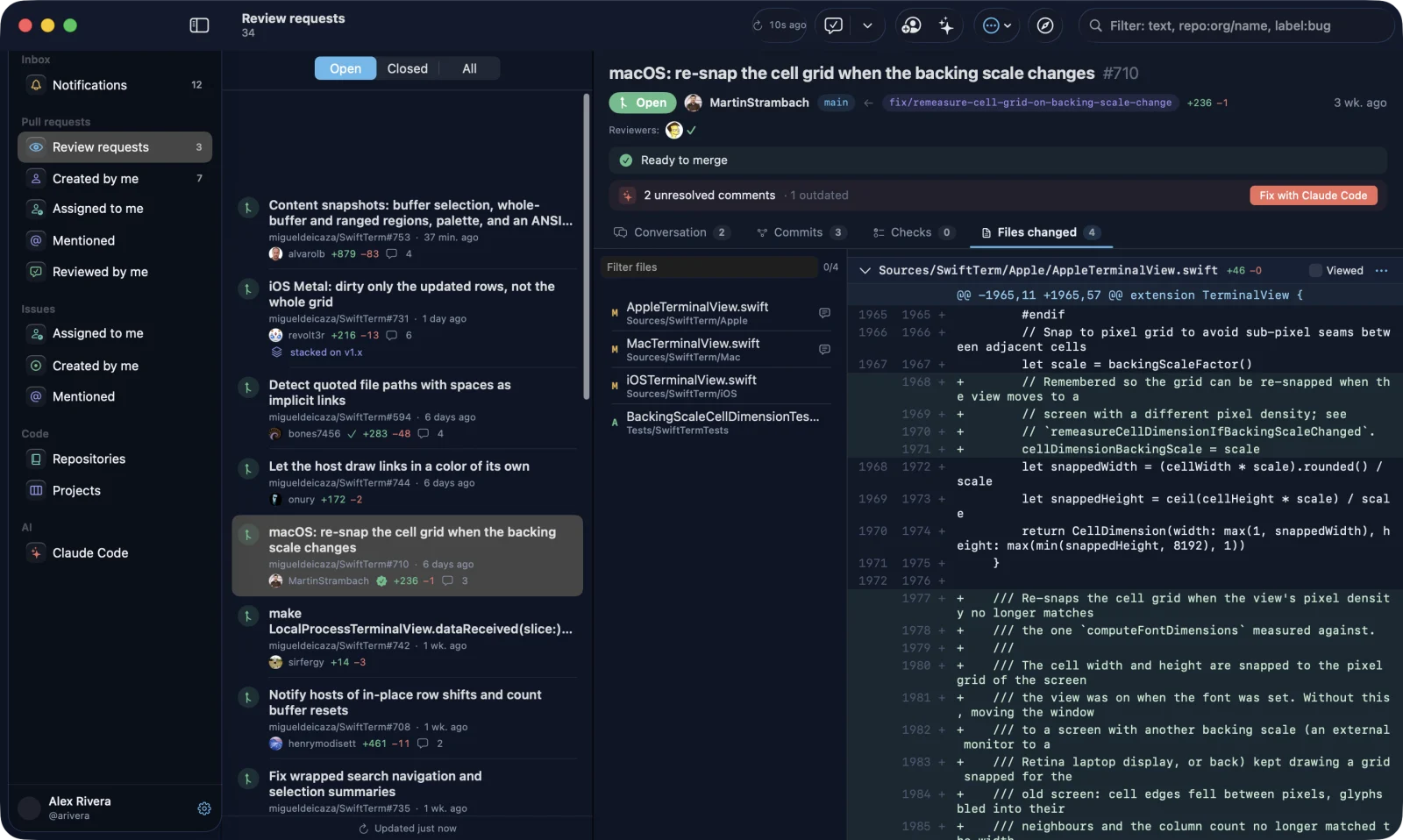
SwiftUI on macOS, WinUI 3 on Windows, GTK 4 on Linux. Diffs with thousands of lines scroll without stutter, and file headers stay pinned.

PullYard is a small native GitHub client for macOS, Windows and Linux that also signs in to GitLab, Bitbucket, Gitea and GitHub Enterprise. You can review PRs, read big diffs and pass review comments to Claude Code, all in an app that opens right away.
Other platformsA one-minute tour: diffs, review, merge, Fix with agent and accounts.
Live demo. Click around, press ⌘K, then try “Fix with agent”
The whole review loop in one native window on macOS.
Use the GitHub CLI, a personal access token or Device Flow. On the Mac the welcome screen also signs in to GitLab, Bitbucket, Gitea and GitHub Enterprise. Your token stays in the system keychain.
Review requests, your own pull requests and notifications in one sidebar. Lists refresh every 30 seconds and new pull requests appear at the top.
Conversation, review threads, commits, checks and changed files. The native diff viewer scrolls thousands of lines with file headers pinned. Comment, approve or request changes.
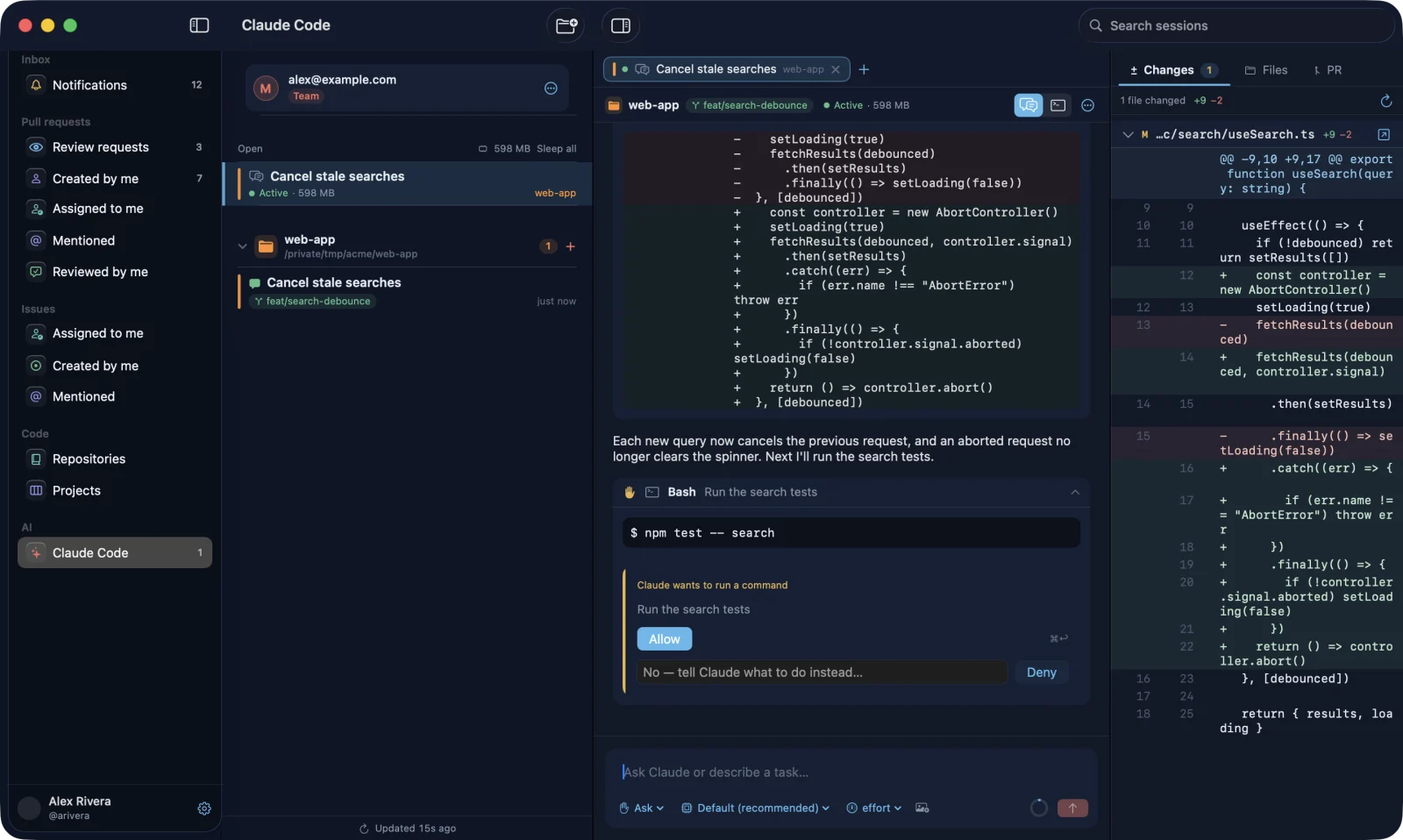
One click starts an agent session with the review feedback, right next to the PR and its branch. It runs Claude Code; you approve tool calls in the chat and see a diff for every edit.
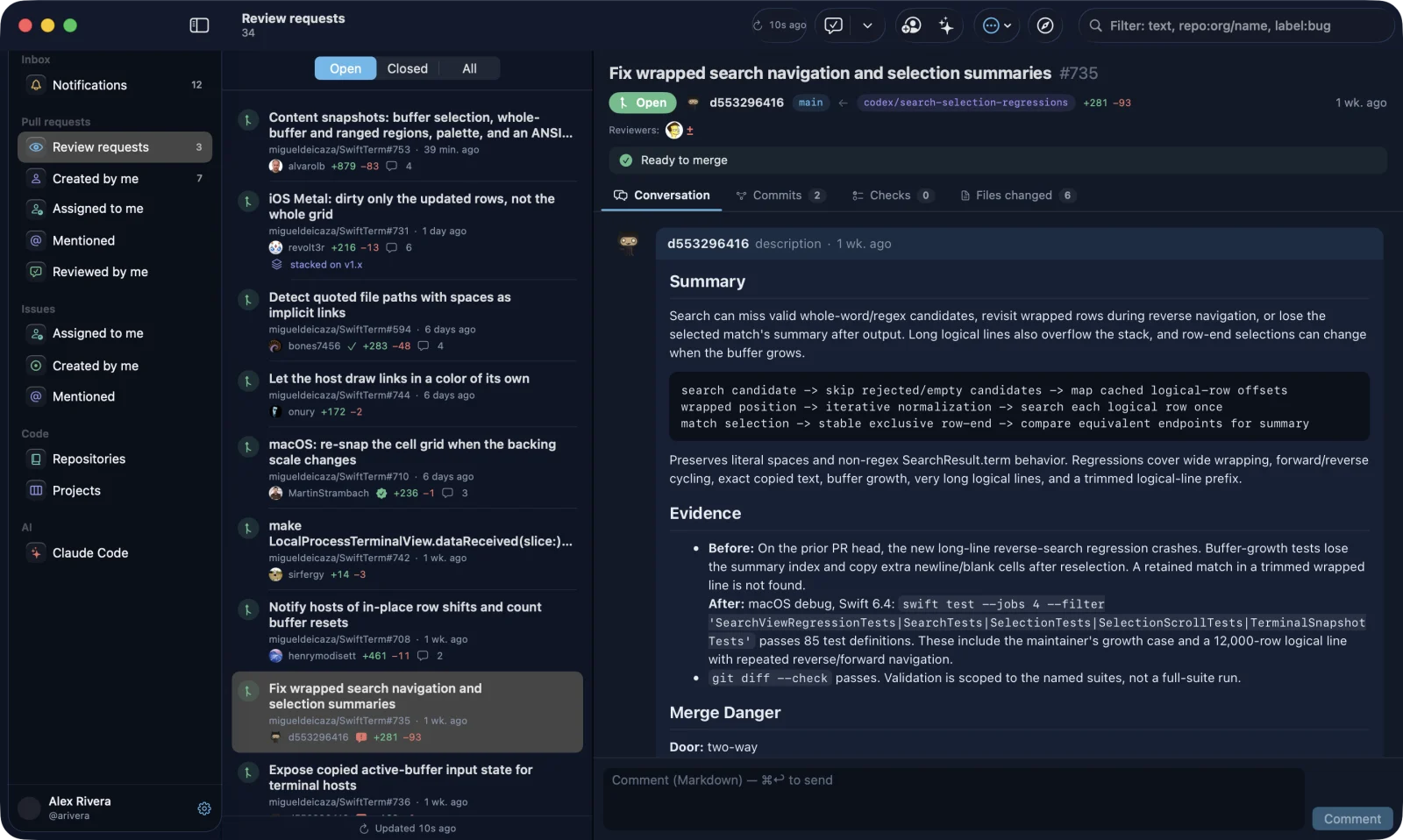
Re-request review in one click after you push, then merge when it's ready to merge. Stacked pull requests show where each one sits in its chain.
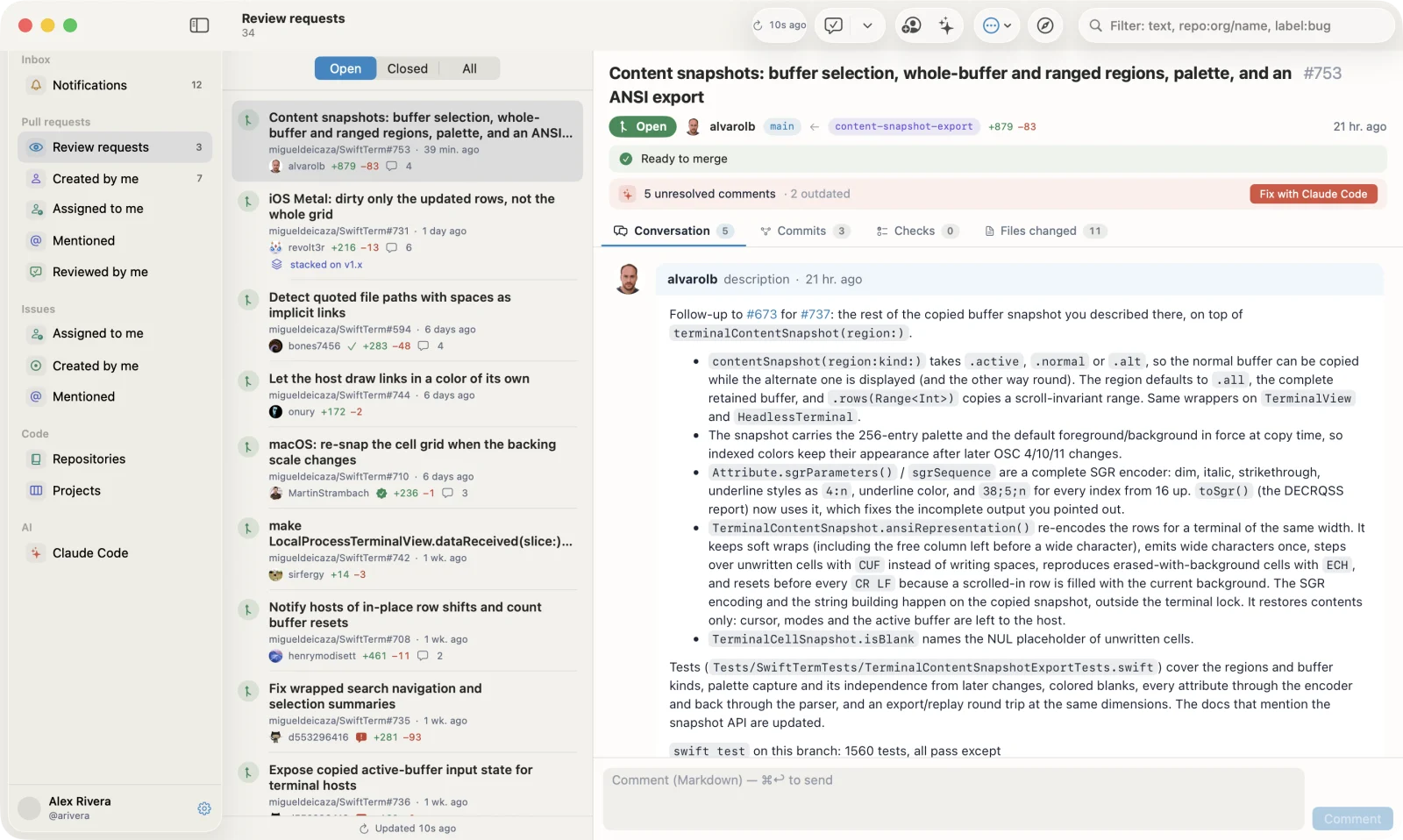
GitHub in a browser tab can take up a gigabyte of memory to show a single diff. PullYard is a small native app for everyday review work.
SwiftUI on macOS, WinUI 3 on Windows, GTK 4 on Linux. Diffs with thousands of lines scroll without stutter, and file headers stay pinned.
Conversation, review threads, commits, checks and files. Comment, approve and merge, follow stacked PRs as one chain, and re-request review in one click after you push.
One click sends review feedback to Claude Code. If the reviewer left a “Fix prompt”, PullYard uses it; otherwise it writes one from the comments.
Pull requests refresh every 30 seconds and new ones appear at the top. Pull down on a list or press ⌘R / Ctrl+R to refresh right away. A menu bar badge on the Mac, or a tray icon on Windows, counts the reviews waiting on you.
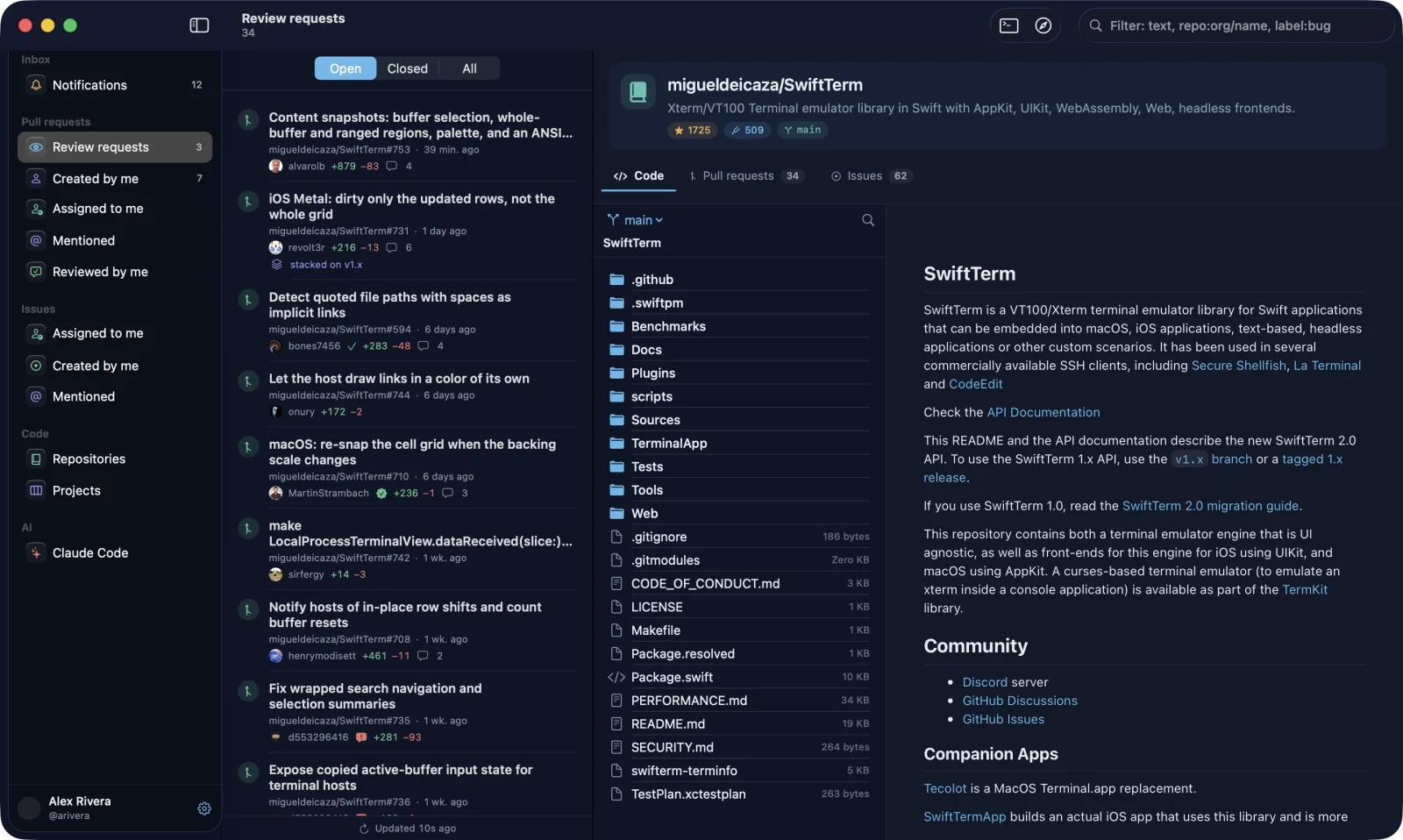
Browse repository files with syntax highlighting and open your GitHub Projects boards in the same window.
Sign in with the GitHub CLI, a personal token or Device Flow. Your token is kept in the system keychain, and PullYard talks to GitHub directly with no server of its own.
PullYard has a chat for the official Claude Code CLI built in, right next to the PR, its changed files and the branch Claude is working on.
These are real screenshots of PullYard on macOS, open on a public repository.
Pick your system. Each one gets its own native build of the same app.
PullYard isn't notarized yet, so macOS asks once before the first launch. After that, updates install from inside the app.
Get the latest DMG from GitHub Releases. It runs on Apple Silicon and Intel.
Open the DMG and drop PullYard into your Applications folder.
Go to System Settings → Privacy & Security → Open Anyway, or run the command below. You only do this once.
xattr -dr com.apple.quarantine /Applications/PullYard.appbrew install --cask pullyard/tap/pullyardPullYard isn't code-signed yet, so SmartScreen asks once before the first launch. After that, the installed app updates itself.
Get the setup for your PC, x64 or ARM64. It installs just for you, no admin rights needed.
If SmartScreen says it protected your PC, click More info → Run anyway. You only do this once.
Prefer no installer? Unzip the portable build anywhere and run PullYard.exe. It opens the release page when there's an update.
Expand-Archive .\PullYard-windows-x64-portable.zip -DestinationPath .\PullYardThree ways to install, all for x86_64. Pick the one that fits your distribution.
For Ubuntu 24.04 or later, Debian and their derivatives. apt pulls in GTK 4, libadwaita and the other libraries.
Works on any distribution. It uses the GNOME runtime from Flathub and runs git, gh and claude from your system.
A portable build for systems with GTK 4.14 or later. The install script puts it in ~/.local, and it updates itself.
sudo apt install ./pullyard_*.debflatpak install --user PullYard-linux-x86_64.flatpaktar xzf PullYard-linux-x86_64.tar.gz && ./PullYard-linux-x86_64/install.shPullYard.dmgPullYard-windows-x64-setup.exePullYard-windows-arm64-setup.exePullYard-windows-x64-portable.zipPullYard-windows-arm64-portable.zippullyard_<version>_amd64.debPullYard-linux-x86_64.flatpakPullYard-linux-x86_64.tar.gzNo. PullYard is an independent open-source project. It uses the public GitHub API and runs the official Claude Code CLI, which you install yourself.
No. All the GitHub features work without it. The agent workspace and “Fix with agent” turn on once the CLI is installed and signed in.
PullYard never sees your Claude credentials. It runs claude auth login, which opens the official sign-in page in your browser.
From your computer straight to api.github.com. Your token is stored in the macOS Keychain, Windows Credential Manager or the Secret Service keyring on Linux. PullYard has no backend and no analytics.
PullYard checks GitHub for a new release every 6 hours; you can turn that off in Settings. On macOS, choose PullYard → Check for Updates… any time: it downloads the release, replaces itself and restarts, so there's no disk image to open. The Windows installer build and the Linux tarball update themselves the same way. The Windows portable build, the .deb and the Flatpak open the release page so you can grab the new file.
Just my thanks. Nothing is locked: PullYard is free and open source, and every feature is there for everyone. A pizza helps keep the project going. You choose the price, from $3. The link is also in Settings → Support PullYard in the app. Buy me a pizza
Pull request lists, the open pull request and notifications refresh every 30 seconds while PullYard is in front, and again as soon as you switch back to it. The footer shows when the list was last updated. Pull down on a list or press ⌘R (Ctrl+R on Windows and Linux) to refresh now. You can change the interval in Settings.
Free and open source, for macOS, Windows and Linux.
Pay what you want, from $3 · PullYard stays free and open source